Most MSPs grow on referrals until referrals slow down. NextLink sends the connection requests and follow-ups on LinkedIn and email to business owners and IT decision makers in your market, so new conversations keep coming in.
Show an MSP owner targeting business owners and office managers in their area: a Sales Navigator search by location and company size, the messaging, follow-ups, and replies in one inbox.
Target 2 to 3 minutes. Share the Loom as "anyone with the link" and send the link to Dom. It goes live here as soon as the id is dropped in.
Only visible with ?slot=1. Public visitors see "Demo video coming soon".Want to see it now? Book a live walkthrough and we'll show you NextLink on your own use case.
Book a live demoWhen the techs are busy and the owner is the salesperson, outbound is the first thing to stop.
Target by location, industry and company size so every conversation is a business you can actually serve.
A connection, a note, a follow-up and an email over a few weeks, so yours is the name they know when IT breaks.
The busywork runs on its own. You step in when someone wants to talk.
Every reply from LinkedIn and email in one place, with saved replies.
Smart delays and conditions keep each prospect moving until they reply.
Acceptance, replies and meetings by campaign, so you know which industries and messages land.
Your first campaign can be live in about 15 minutes.
Link the LinkedIn profiles and email inboxes you'll send from.
Bring a Sales Navigator search or a list. NextLink pulls the prospects in.
Connection note and follow-ups in your own voice, with smart delays and conditions.
Every response lands in one inbox. You take the conversations from there.
Worried automation will make your outreach feel robotic? With NextLink, the automation handles the timing and the follow-up. The words and the conversations stay yours.
The difference: nobody forgets to follow up, and nobody has to send the same note 200 times. You still sound like you.
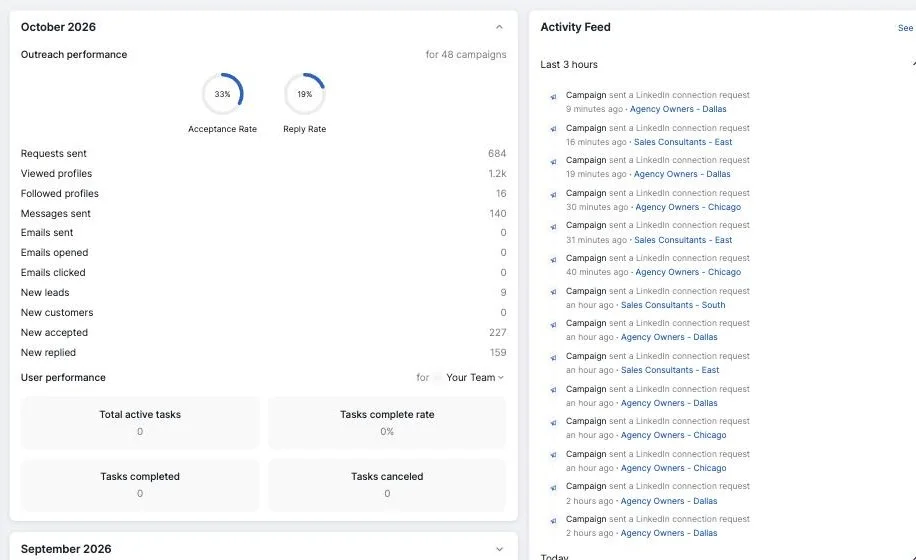
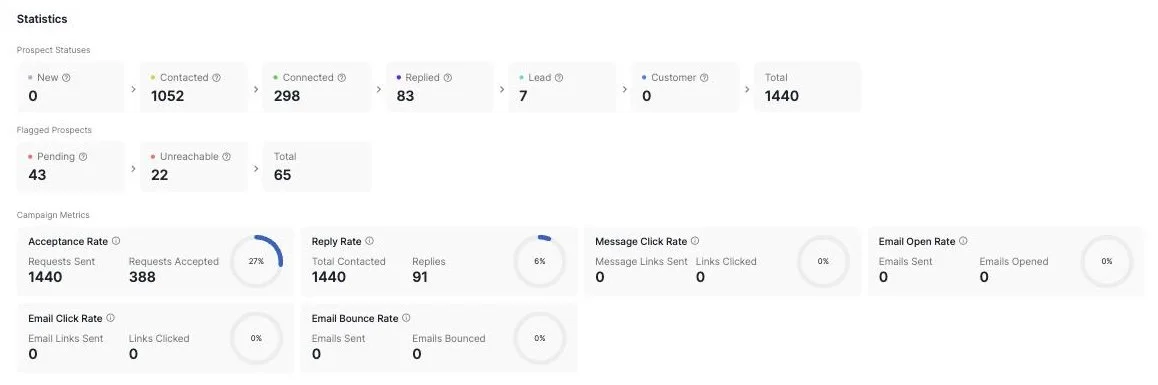
Real screens from a live NextLink account.
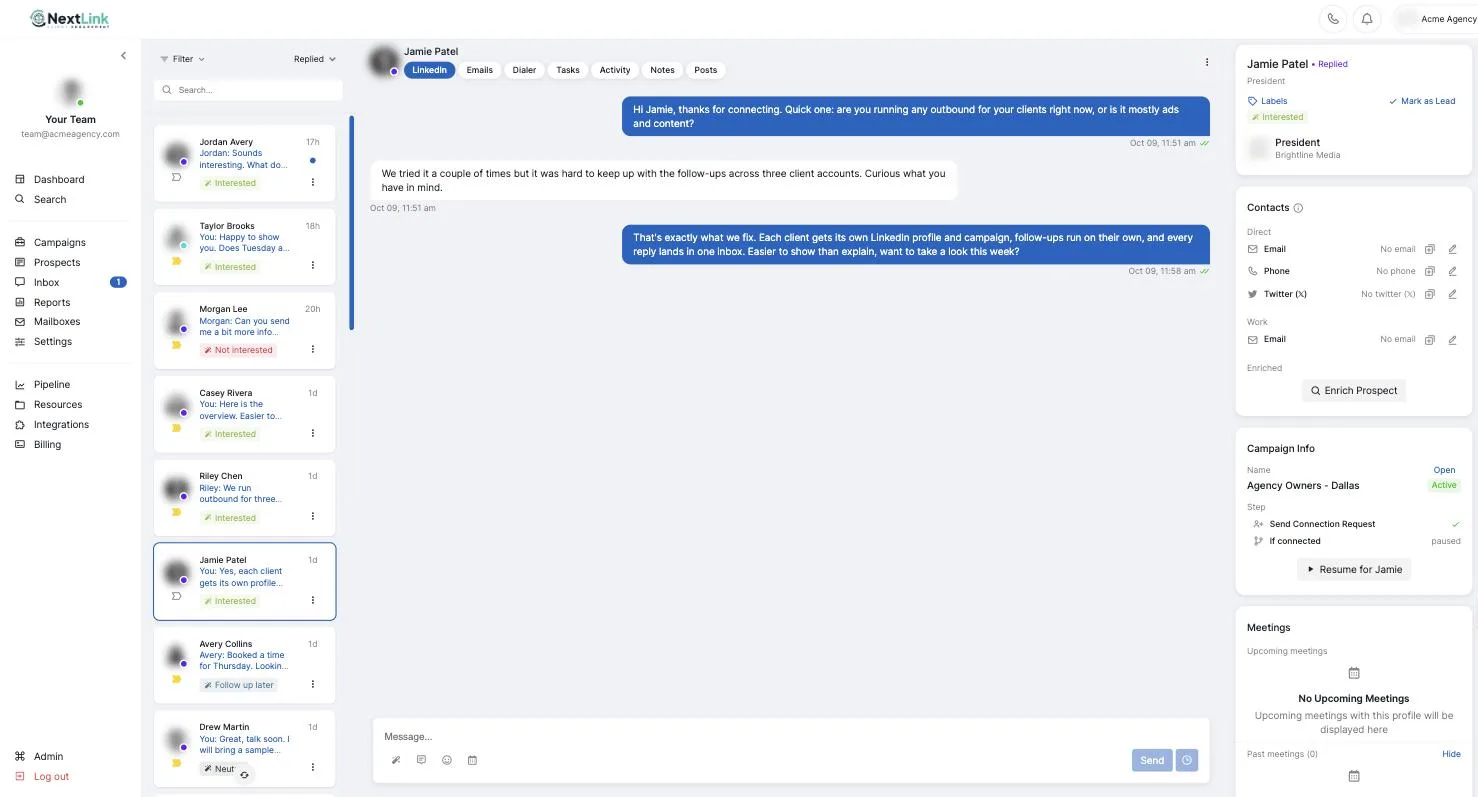
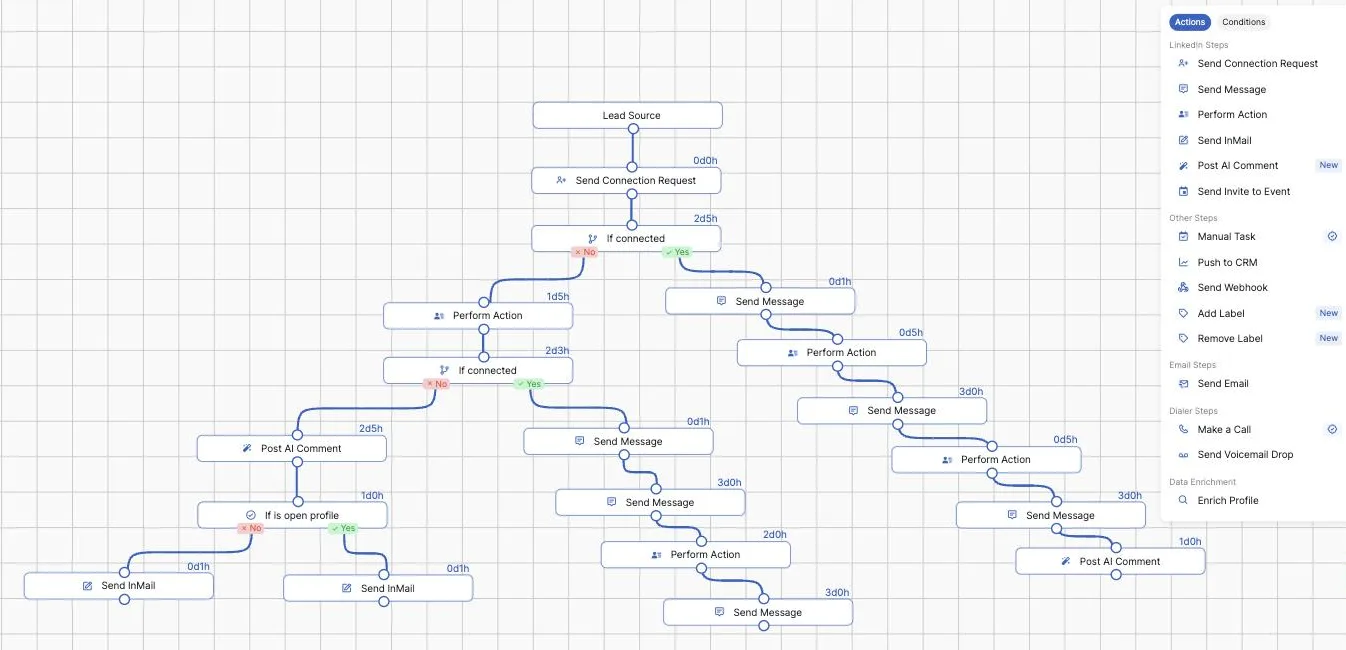
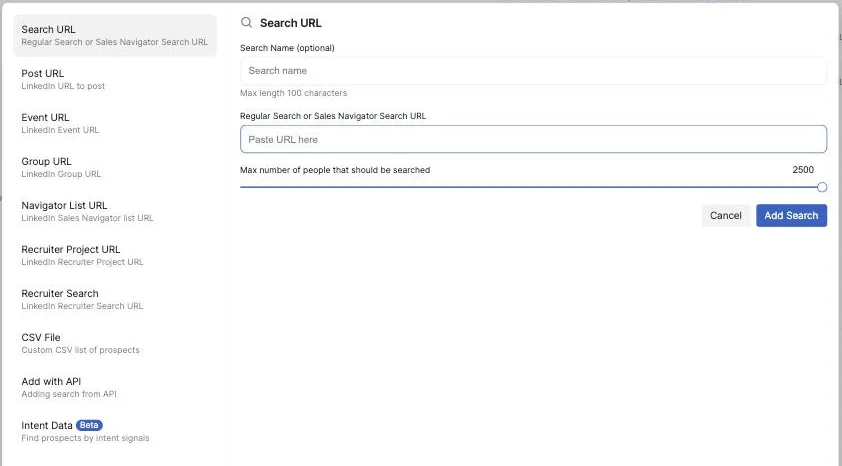
Want it on one page? Download the NextLink overview (PDF)
Names and messages replaced with examples.
No. You write every message in your own voice, and each one pulls in the prospect's name, company and title. When someone replies, the follow-ups stop and a real person on your team takes the conversation.
Any LinkedIn automation carries some risk, so we run it carefully: conservative daily limits, a slow ramp-up for new profiles, automatic cleanup of old invites, and tight target lists. How we keep accounts safe.
Yes. NextLink works with LinkedIn Sales Navigator. It doesn't run on LinkedIn Recruiter alone.
Your first campaign can be live in about 15 minutes. We set up the first one with you on a call.
Yes. Sequences can mix LinkedIn steps, email, voicemail drops and calls. No SMS.
Yes. Agencies run it for clients under the client's name and profile. Ask us about white label on the demo.
Pricing is per seat, one for each LinkedIn profile that sends, and every team starts with a trial so you can see results before committing. We'll walk you through it on the demo.
Your team. Every reply lands in one inbox across all your profiles, with saved replies to make answering fast.
Real people set you up and support you, from the first campaign on.
A 30-minute live demo. We'll show you how a campaign would look for you: who to target, the messaging, and the follow-up.
Choose a 30-minute slot that works for you.
Book a 30-min demo